Count the days
that matter.
A date log for work, life events, and equipment or service use. Mark WFH, trips, movie nights, gym days or car-use dates, then see your totals and remaining day allowance.
One calendar.
Many reasons to count.
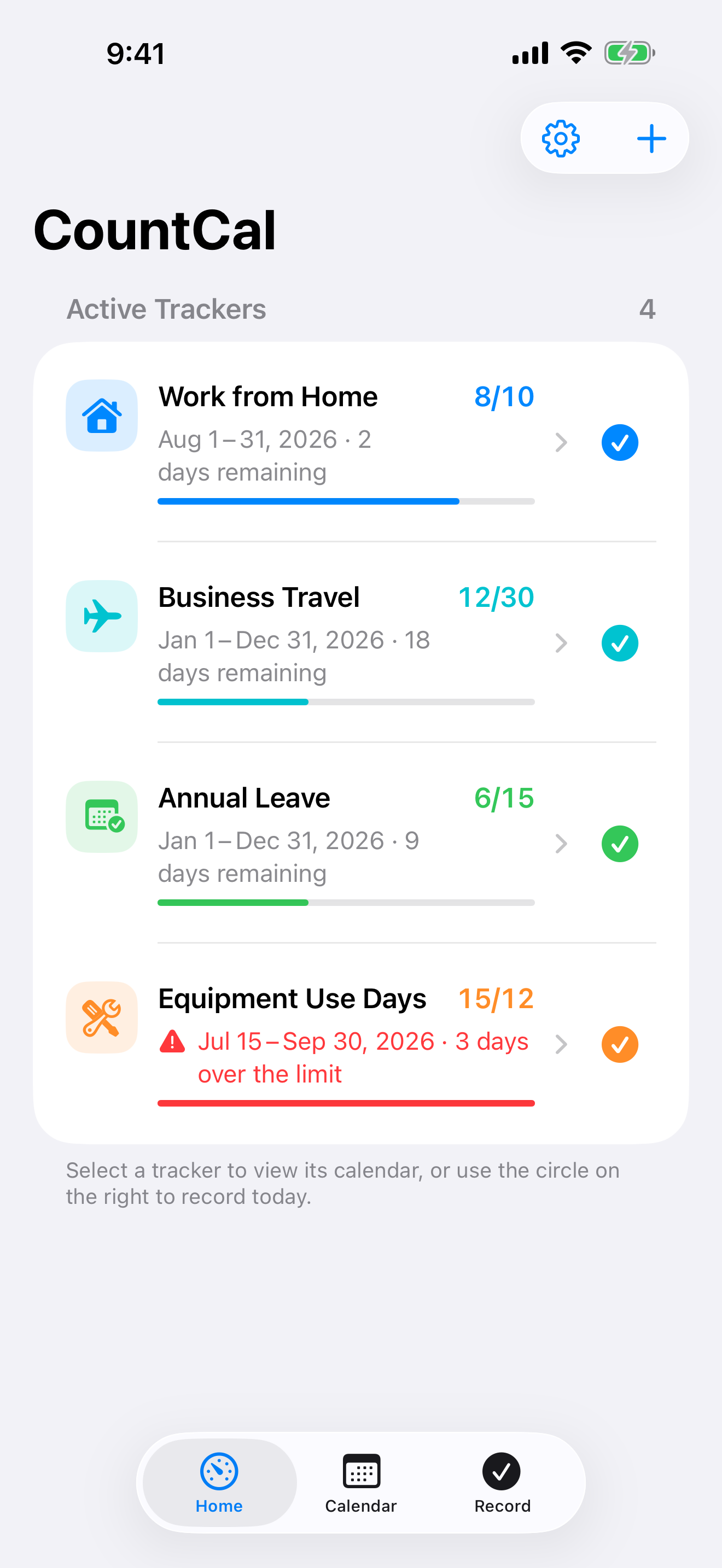
Keep work, life events, and everyday use in separate trackers—then see each total in the period that matters.
02Life Event
Life Event
Date Log
Create a tracker for movie days, fitness days, big meals, nights out, and days worth remembering.
Explore life events
- 2026-10-24 Movie day
- 2026-11-15 Friends dinner
- 2026-12-31 New Year’s Eve
03Equipment &
Equipment &
Service-Use Days
Record vehicle days, equipment use, shared devices, and service visits by date.
Explore usage days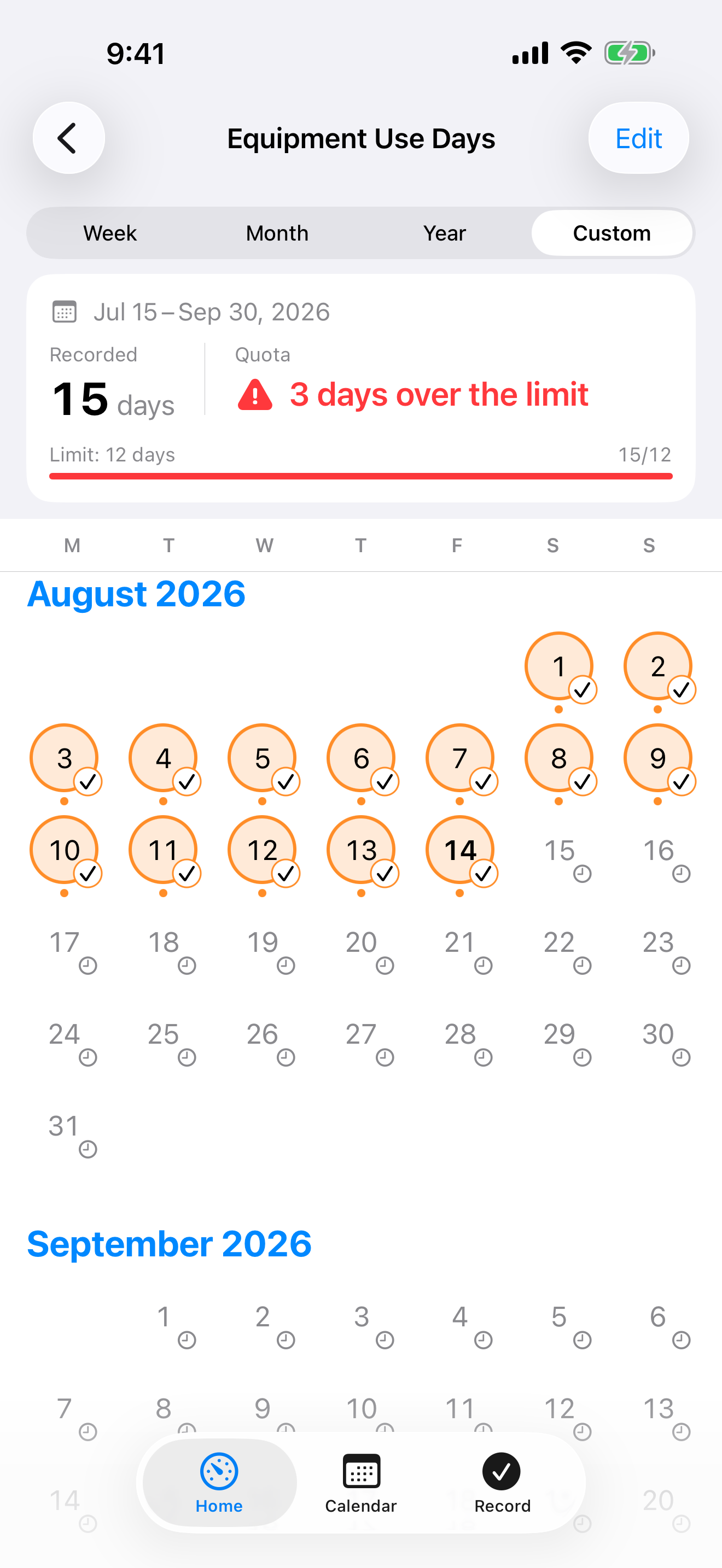
Each tracker can be marked once per calendar day.
Simple by design. Clear at a glance.
Create a tracker, tap the dates, and let the calendar keep the total.
1
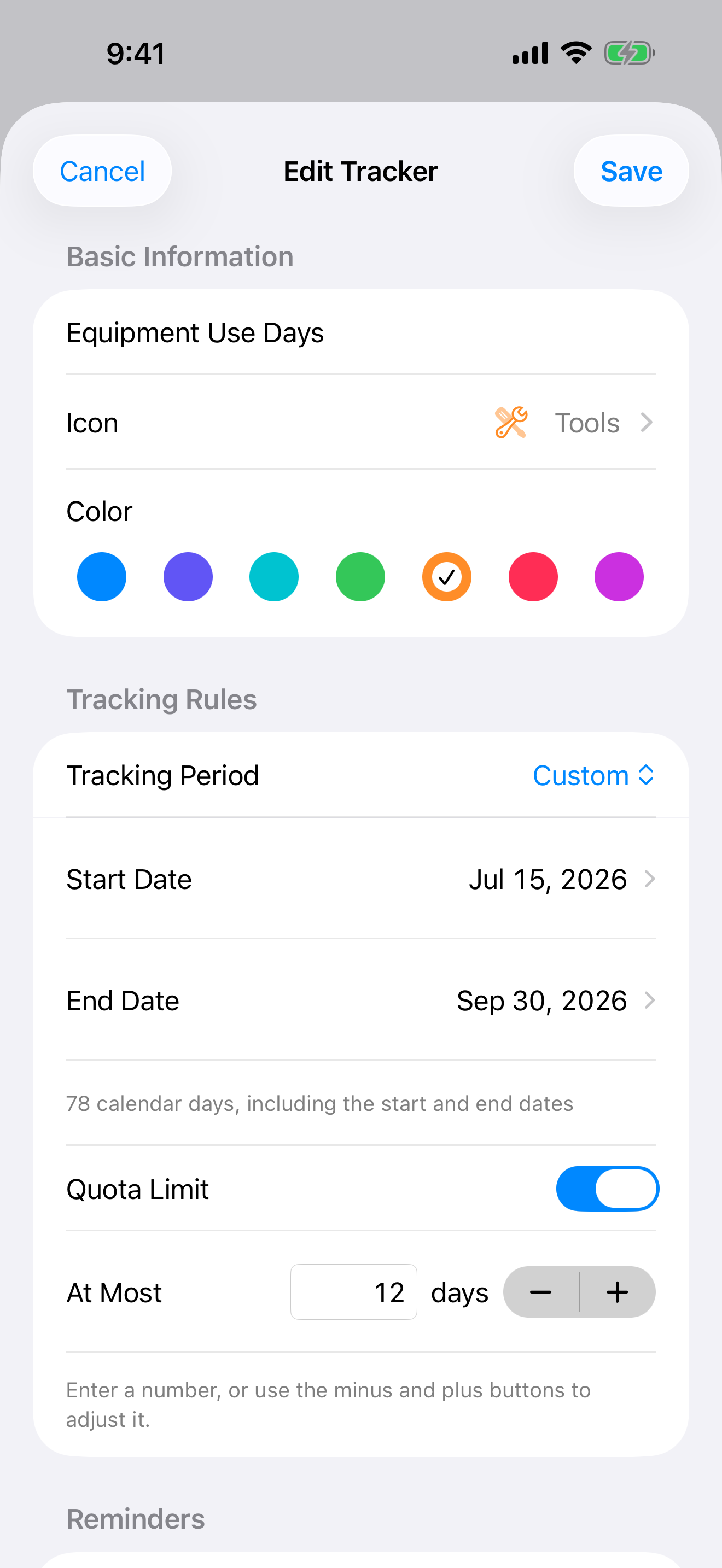
Create a tracker
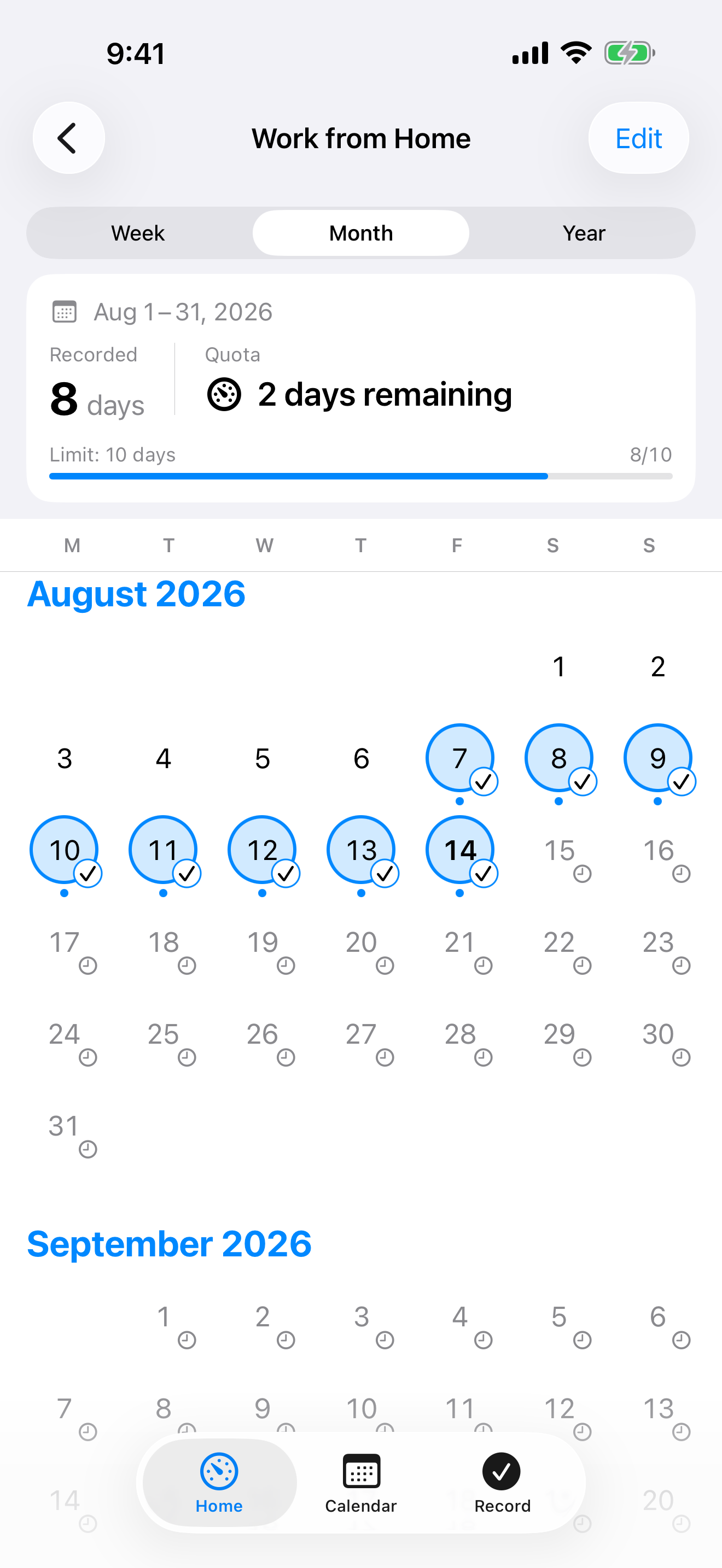
Name the kind of day, choose a color and period, then add an optional limit or reminder.
2
Tap the dates
Record today, fill in past dates, or mark a future plan.
3
Read the total
Review selected days and optional quota status by week, month, year, or a custom period.
CountCal counts days, not multiple occurrences within the same day.
A date log, not a stopwatch or countdown.
CountCal: Day Tracker is also known as 点历 and 點曆. Your Day Counts, Made Simple.
Can I track WFH and annual leave separately?
Yes. Create a tracker for each kind of day, select the dates, and choose a weekly, monthly, yearly, or custom period. Limits are optional.
Can I record gym days, movie nights, or equipment use?
Yes. Name a tracker for any occasion, vehicle, shared device, or service. Each project counts one calendar date once, even if you use a service several times that day.
Do future plans use my day allowance?
Yes. Future dates are plans and count toward the selected period allowance. You can keep recording even after a limit is exceeded.
All apps
One place for CountCal and ChipMeter. Record the days that matter, and understand the resources your Mac uses.
CountCal
A date log for work, life and equipment use. Count dates, track allowances and set reminders.
iPhone · iPad · Apple Watch
ChipMeter
A native Mac app for CPU, GPU and memory activity, average utilization and accumulated resource input.
Mac App Store